Xenia · Step-by-step host guide
A visual, step-by-step guide to sign up and start using Xenia. Every screen you'll see is shown below.
Video tutorials (30 seconds each)
The 3 most important flows in motion. Watch before reading the rest.
Document scanning — AI reads the guest's ID document
Guest check-in — from the calendar, paperless
Alloggiati Web submission — police file, ready in one click
1. Open the website
Go to https://xeniaggr.com in your browser.
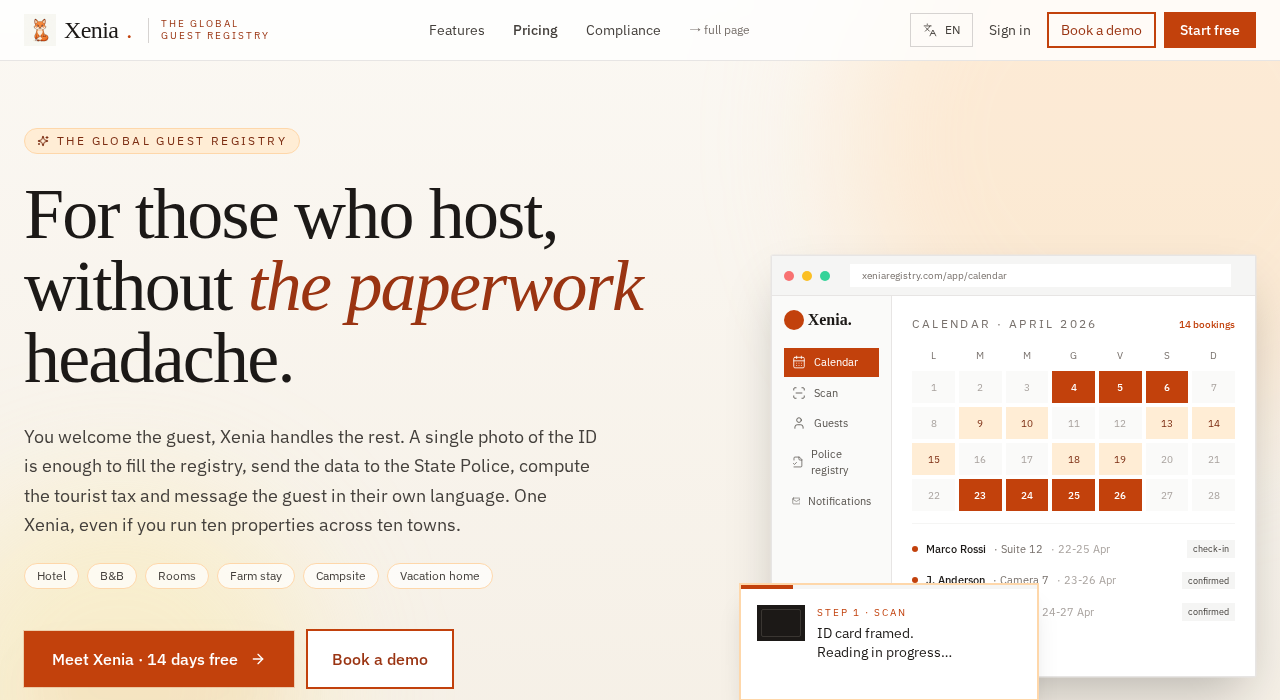
→ Click the orange button in the top-right: "Start free".
2. Create your account (5 minutes)
The signup form opens.
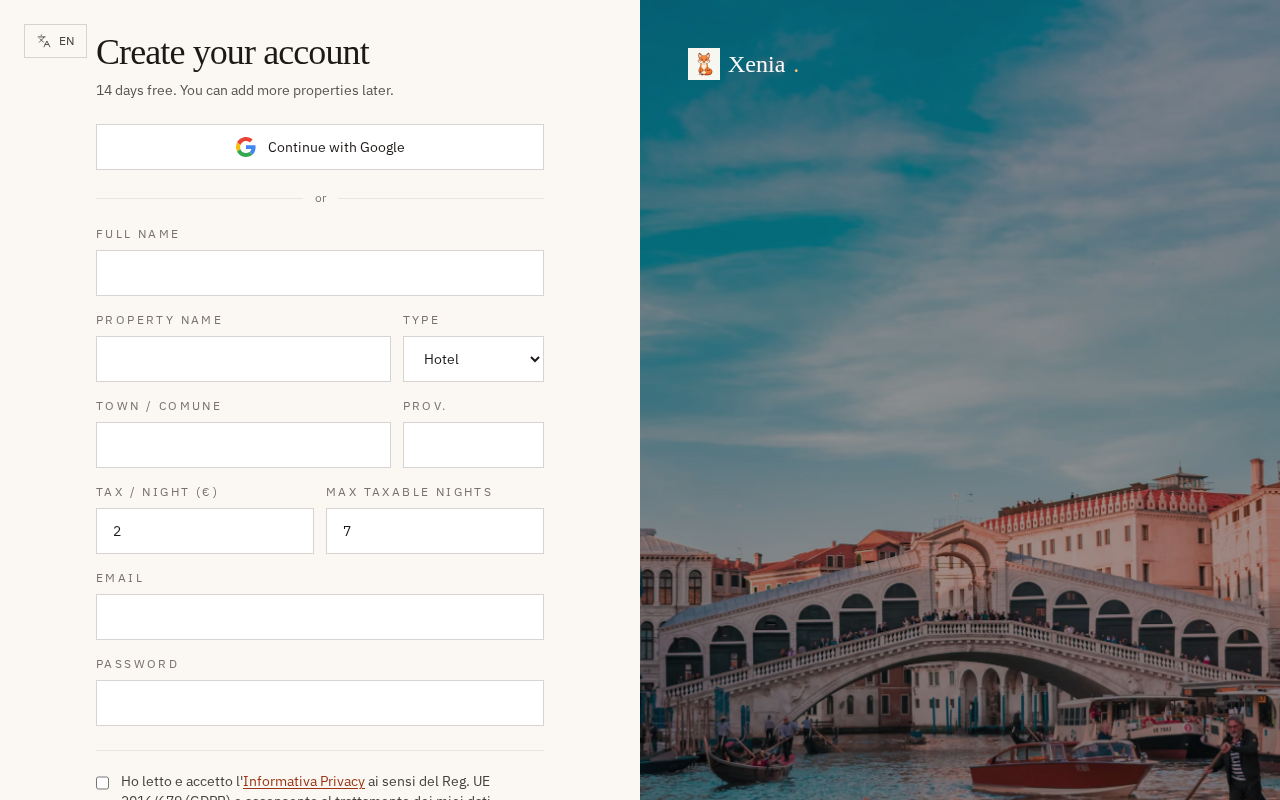
Fill in this order:
| Field | What to type | Example |
|---|---|---|
| Full name | Your full name | Mario Rossi |
| Property name | Name of the property | "Pine Tree B&B" |
| Type | Pick from dropdown | Hotel / B&B / Guesthouse / Holiday rental / Farm / Hostel |
| Town / Comune | Municipality | Rome |
| Prov. | Province code | RM |
| Tax / night (€) | Tourist tax per night per guest | 3.50 |
| Max taxable nights | Max nights billable | 5 |
| Valid email (used for login) | you@example.com | |
| Password | Min 8 chars, 1 uppercase, 1 digit | Summer2026! |
→ Tick "I accept the Privacy notice" (required by law). → Click "Create account".
14-day free trial. No credit card required.
3. First home after login
After signup you see your Home with the "first steps" checklist:
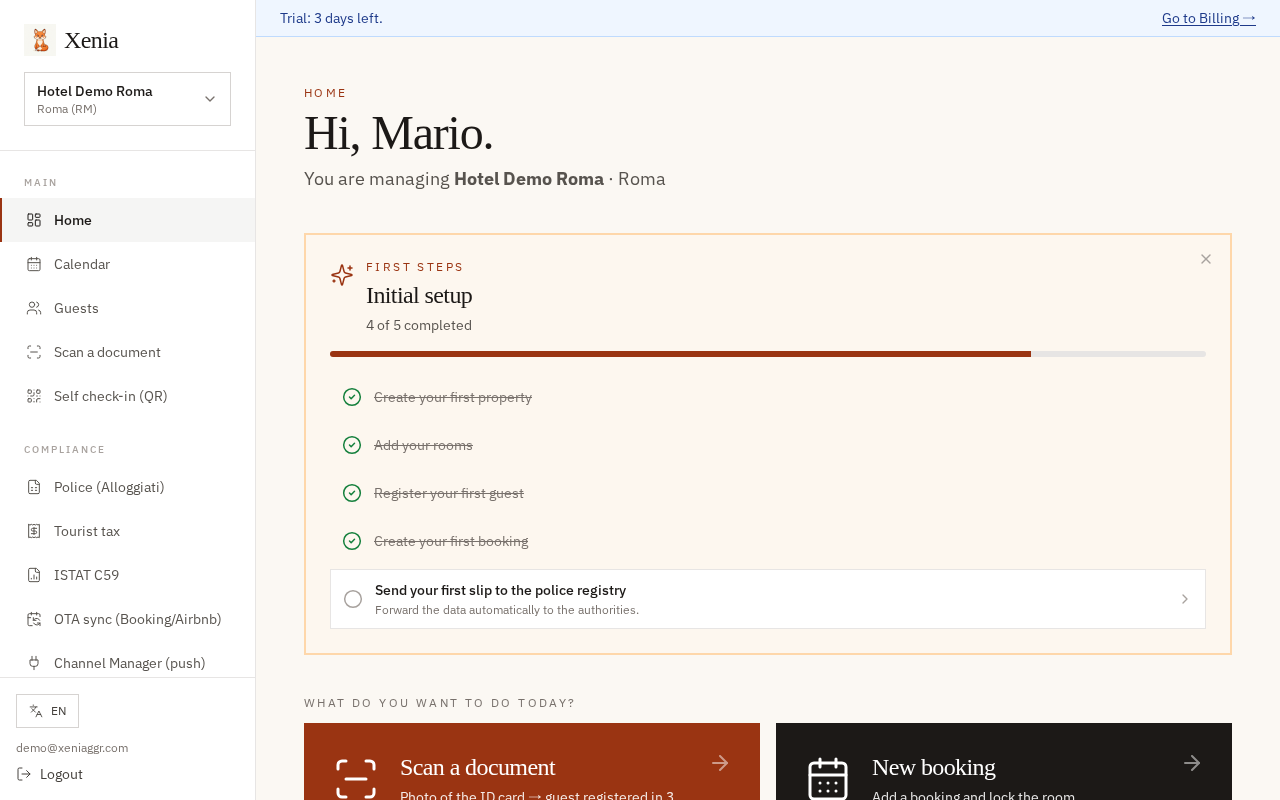
What you see:
- Top: "Trial: 14 days left" banner + link to Billing
- Left: full menu with 3 groups (MAIN / COMPLIANCE / MANAGEMENT)
- Orange centre block: Initial setup · X of 5 completed — list of 5 things to configure
- Below: 4 big action buttons (Scan / New booking / Calendar / Police)
- Bottom: numeric KPIs (rooms free today, guests, revenue this month, slips pending)
→ Follow the orange checklist in order — each item is struck through when done.
4. View the bookings calendar
→ Click "Calendar" in the left menu.
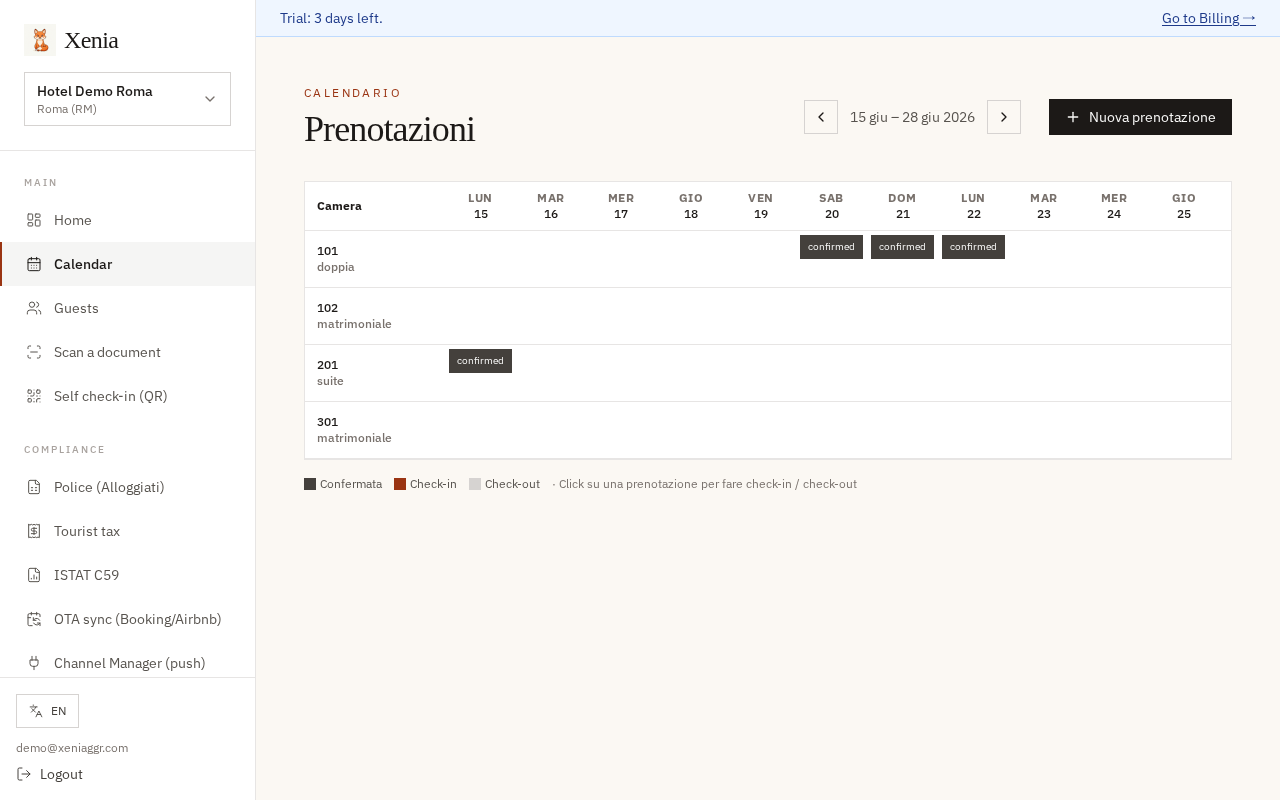
What you see:
- Columns: days (MON 15, TUE 16, WED 17, ...)
- Rows: your rooms (101 double, 102 queen, 201 suite, 301 queen)
- Coloured squares: existing bookings (label
confirmed= confirmed) - Empty squares: rooms free that day
→ To create a booking: click an empty square on the day+room you want → a side panel opens. → To edit: click on the coloured square.
The top-right "+ New booking" button creates one quickly.
5. Register a guest by scanning a document
→ Click "Scan a document" in the menu.
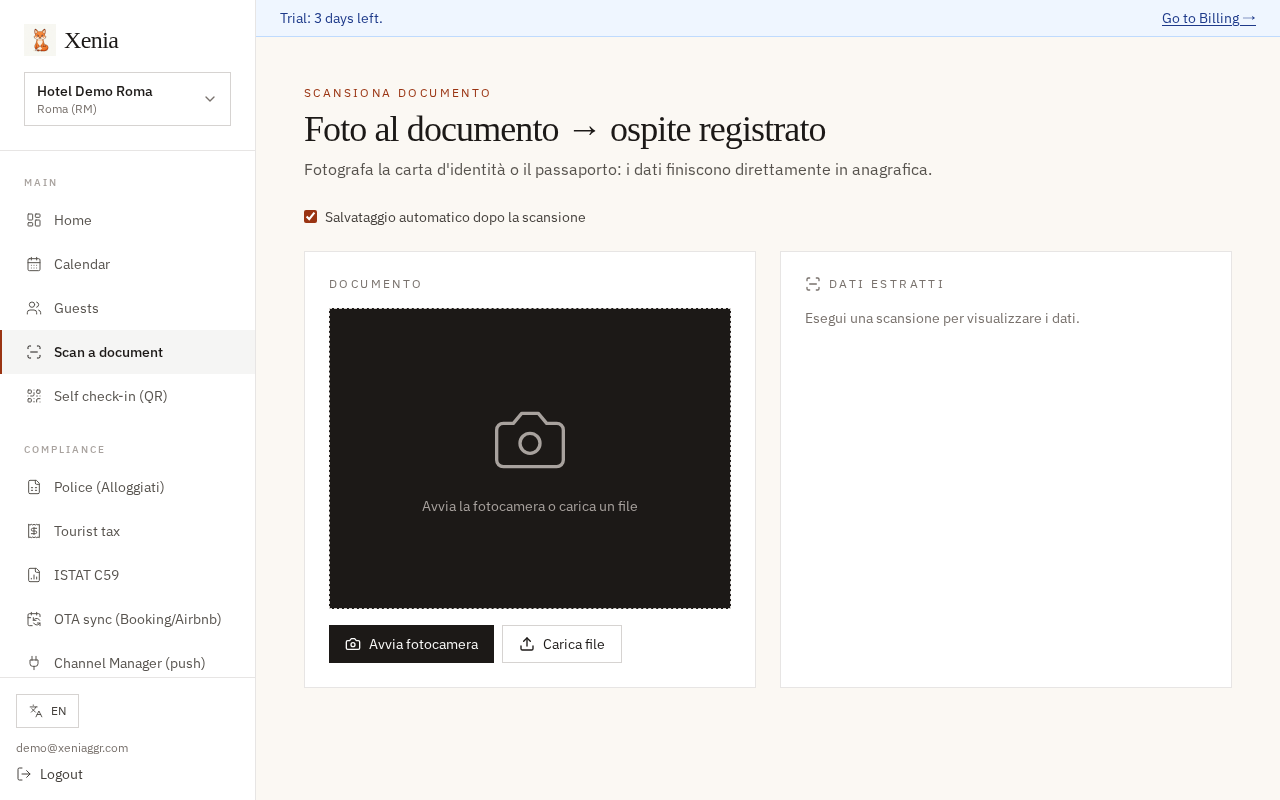
Procedure (3 seconds):
- Click "Take photo" (or "Upload file" if you already have the photo)
- Frame the ID card or passport inside the orange box
- Wait: Xenia auto-reads the data (name, surname, date of birth, document number, nationality)
- Check the form (you can edit anything)
- Click "Save guest"
The guest is registered and ready to be linked to a booking.
6. File slips with the Police (Alloggiati Web)
By Italian law every guest must be reported within 24h. Xenia does it automatically every night at 02:00.
To send manually:
→ Click "Police (Alloggiati)" in the COMPLIANCE group.
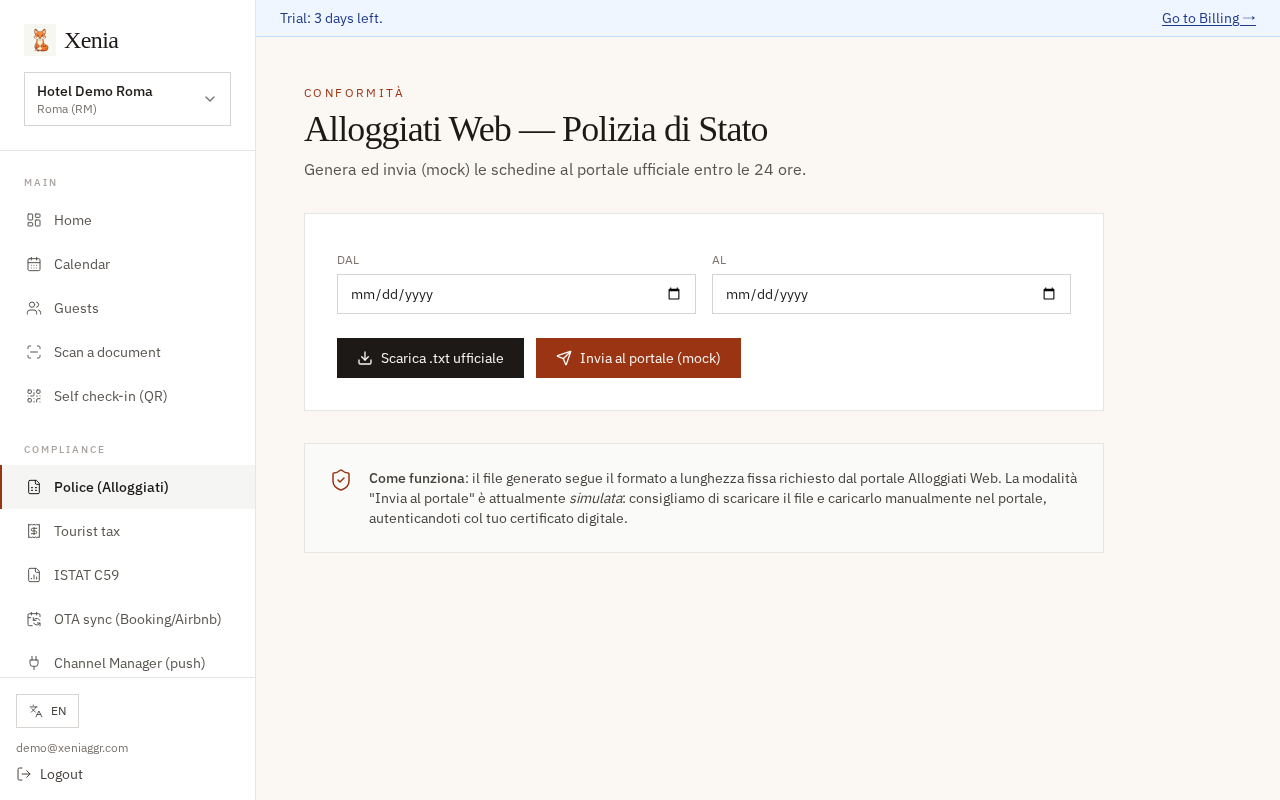
Procedure:
- Pick "Dal" (start date)
- Pick "Al" (end date)
- Click "Scarica .txt ufficiale" if you want to upload by hand on the Police portal
- OR Click "Invia al portale" for automatic submission
Configure your Police credentials once in Management → My properties → Edit.
7. Calculate the tourist tax
→ Click "Tourist tax" in the COMPLIANCE group.
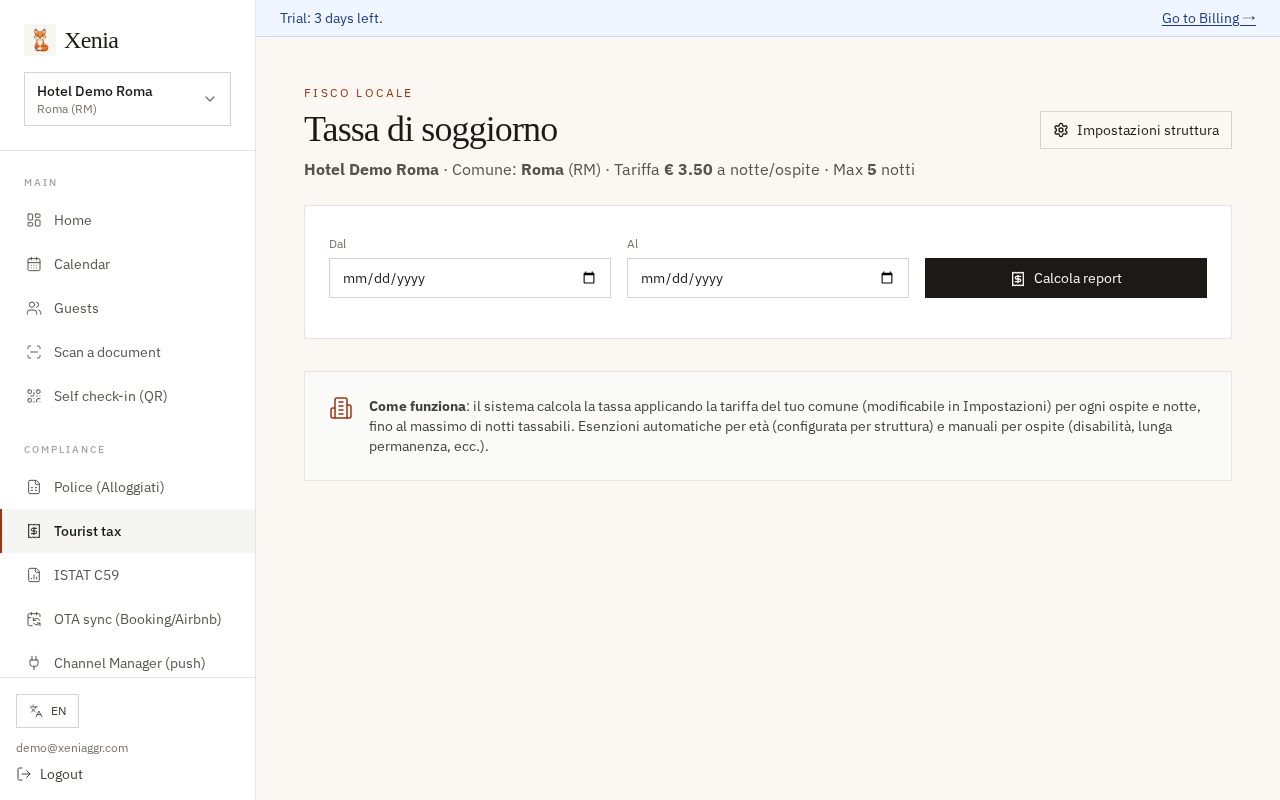
Top of page shows:
- Your municipality
- Tariff € per night per guest
- Maximum chargeable nights
Procedure:
- Pick "Dal" and "Al" (e.g. a quarter)
- Click "Calcola report"
- See the total due to the municipality + per-guest breakdown
- Download CSV to upload to the municipal portal (or hand to your accountant)
Automatic exemptions (children under 14, configured per property) are pre-calculated.
8. Pay the subscription
→ Click "Subscription" in the MANAGEMENT group.
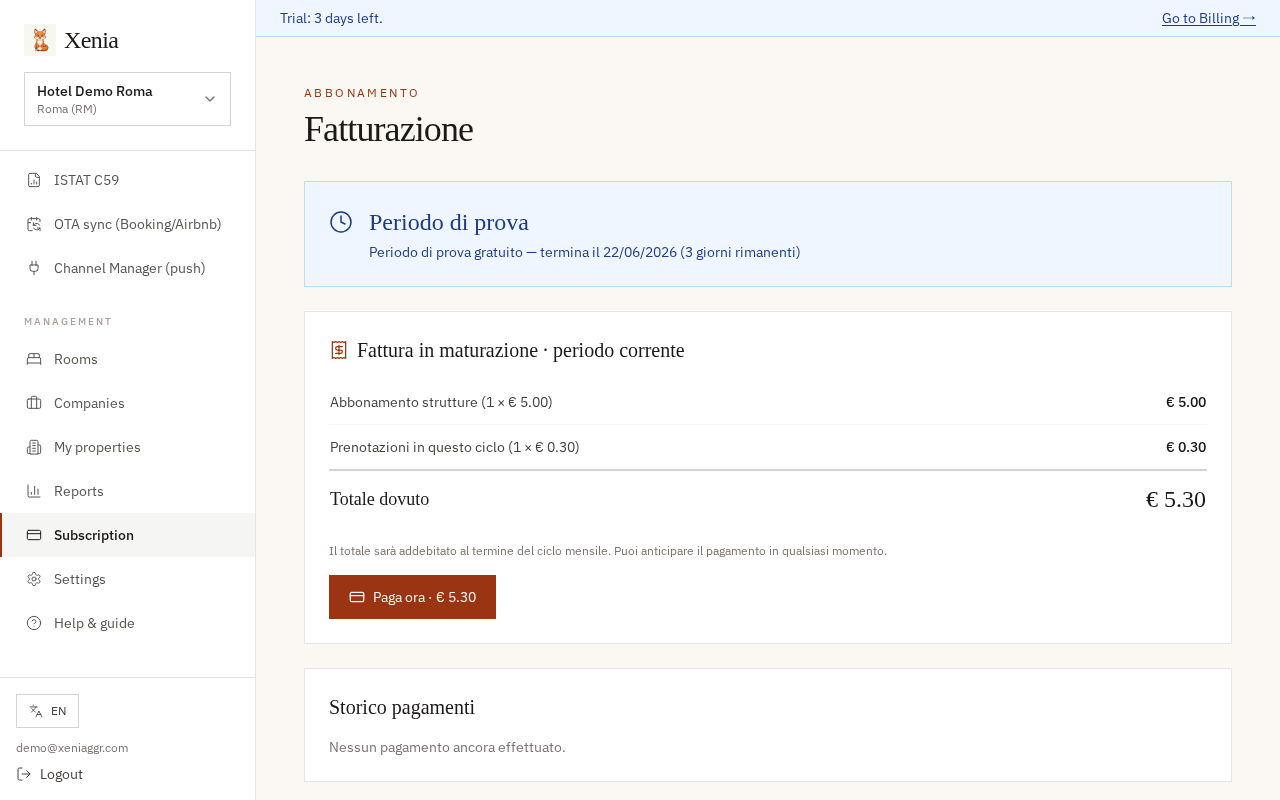
What you see:
- Trial period — days left of the free trial
- Invoice in progress — what you're accumulating for the current month:
- Property subscription: € 5.00 × each active property
- Bookings this cycle: € 0.30 × each booking
- Total due
- Payment history
→ Click "Paga ora · € X" to settle early and keep the account active.
If you don't pay by the end of the trial/cycle, the account is automatically suspended. ⚠️ Alloggiati Web keeps working by law — no data is lost, no fines.
9. Change the interface language
In the bottom-left of the sidebar you'll find the language selector (icon 🌐 EN).
→ Click and pick: Italiano · English · Français · Deutsch · 中文
The interface switches instantly. This guide also changes language automatically.
10. Need help?
Contact the right team — we reply within 24 business hours:
| Department | When to write | |
|---|---|---|
| Technical support | support@xeniaregistry.com | App issues, bugs, how-to questions |
| Billing | billing@xeniaregistry.com | Subscription, invoices, refunds, plan changes |
| Sales / Demo | sales@xeniaregistry.com | Request a demo, quotes, multi-property pricing |
| Privacy / GDPR | privacy@xeniaregistry.com | Personal data, GDPR requests, DPO |
- Software updates: automatic, you never have to do anything
Print this guide (orange button at the top) to always have it handy. Or download the .md file to send it by email.
Welcome to Xenia.